A connector that fits physically can still fail because its contact system, cable seal, crimp, or certification does not match the installation. By the end, you will be able to specify the exact connector pair, verify its ratings and markings, inspect the finished assembly, and reject combinations that create avoidable heating, arcing, or water-ingress risks.
Key takeaways
- Match cable size and exact mating parts, not just the MC4 label.
- Check voltage, current, temperature, IP rating, and certification markings.
- Use the specified contact and crimp tool, then inspect and test the assembly.
- Confirm connector compatibility under the installation’s voltage, current, and environmental conditions.
Match the Connector Pair to the Cable and Mating Part
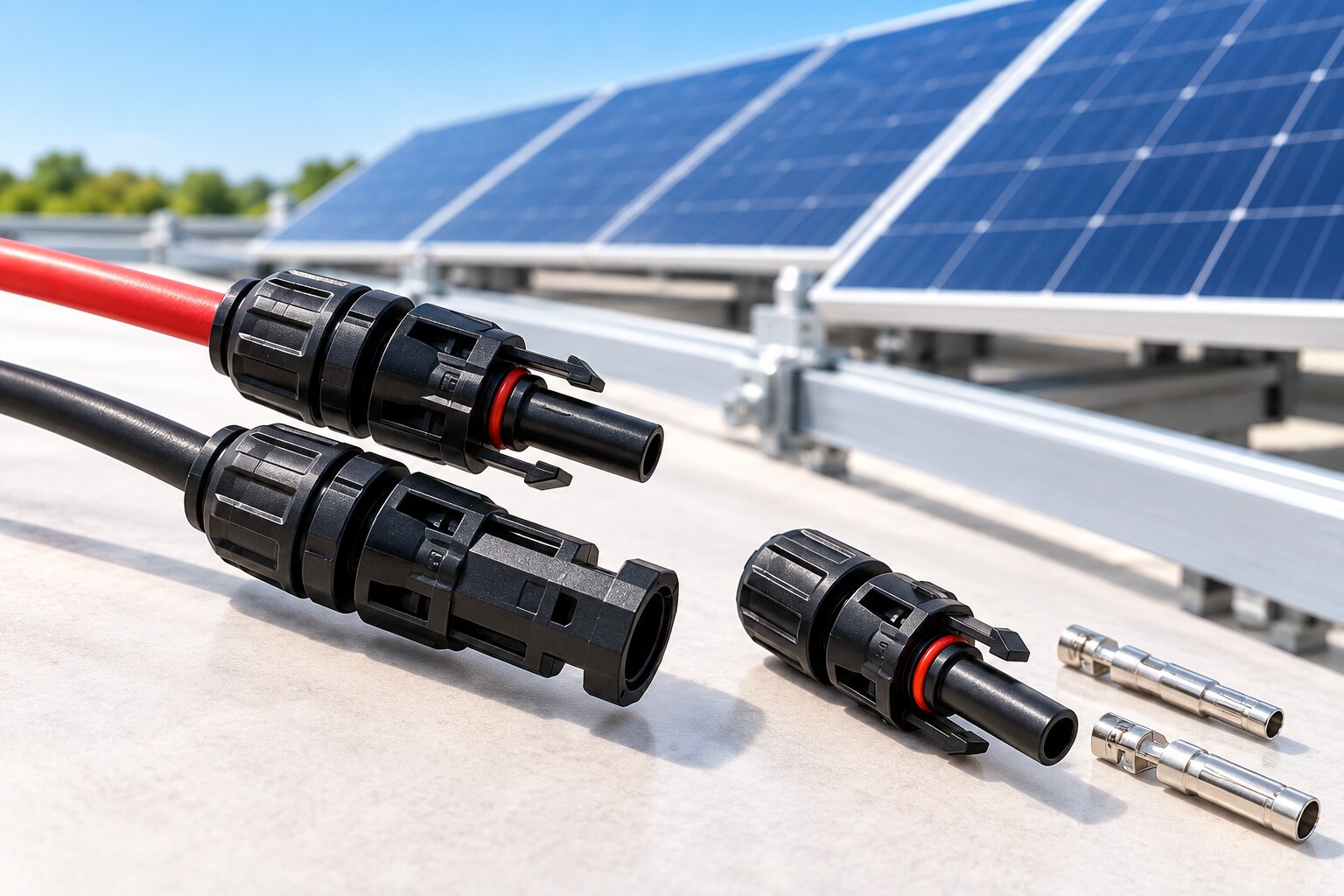
Confirm the fit by matching the cable dimensions and exact connector mating part, not by checking whether two housings are labelled MC4. MC4-compatible is not a universal interface: contact geometry, seals, and locking features vary by connector manufacturer.
Use this checklist before ordering:
- Match the cable conductor area, such as 2.5, 4, or 6 mm², to the connector’s approved crimp contact.
- Measure the cable’s actual outside diameter and insulation construction; a 4 mm² cable can have different jacket diameters.
- Check that the cable is an approved photovoltaic type, such as IEC 62930 or EN 50618 H1Z2Z2Z2-K, within the connector’s stated cable range.
- Specify the exact connector part number, polarity, and approved mating part. Do not order only “male MC4” or “female MC4.”
- Confirm mating interface compatibility from the same connector manufacturer, including the seal, contact, housing, and locking system.
Do not mix visually similar products. Genuine MC4 connectors from Stäubli must be paired with the corresponding approved Stäubli mating parts; a generic connector marked “MC4 type” does not prove interoperability or IEC 62852 compliance. Mixing brands can reduce contact force, damage the seal, or invalidate the tested assembly.
Check the installation instructions for the required crimp tool and cable-preparation dimensions. IP protection applies to a correctly assembled, mated pair; fit the manufacturer’s protective cap to any connector left unmated.
Compare Ratings, Standards, and Certification Markings
Do not buy on a headline “1,500 V” claim alone. Verify the connector’s voltage rating, current rating, cable size, temperature limits, and certification for the exact model and contact configuration.
Electrical and environmental comparisons should look like this:
| Detail | What to verify | Why it matters |
|---|---|---|
| Voltage rating | DC rating up to the system voltage; confirm IEC and UL values separately | A 1,500 V DC rating does not permit opening a live circuit |
| Current rating | Manufacturer’s table for 2.5, 4, and 6 mm² cable, ambient temperature, and test system | The same connector can carry different currents in different conditions |
| Contact resistance | Published value or maximum limit after the specified ageing tests | Excess resistance creates heat at the joint |
| Temperature range | Operating range for the complete connector and cable combination | Heat can reduce current capacity and accelerate seal damage |
| Ingress and UV protection | IP rating, outdoor-use statement, and UV-resistance test evidence | Water or sunlight can corrode contacts and embrittle insulation |
| Flame rating | Declared material rating and test standard | It indicates how the housing behaves near an ignition source |
For photovoltaic DC connectors, request evidence of IEC 62852 compliance. In North America, check the UL 6703 listing record for the exact model family, cable sizes, voltage/current conditions, and permitted use; CE marking alone is not UL listing.
Request TÜV certification when specified by the project, and inspect the certificate number rather than accepting a logo.
Confirm approval for the actual cable standard, such as IEC 62930 or EN 50618 H1Z2Z2-K. “MC4 type” is not proof of compliance or mating compatibility. Standard connectors are not load-break devices; de-energize the circuit before separation.
Specify the Correct Crimp and Check the Finished Assembly
The termination will carry current reliably only when the contact, cable, crimp die, locator, and connector housing are specified as one system. A generic plier crimper can leave a high-resistance joint that heats under load; use the manufacturer’s approved tooling and contact for the stated conductor size.
- Confirm the cable’s conductor area, insulation outside diameter, and strip length against the connector datasheet. A 4 mm² cable can have the wrong diameter for its seal.
- Set the crimping process with the specified crimp die position and locator; do not substitute a visually similar contact.
- Strip without nicking or cutting strands. Insert the conductor to the stated conductor insertion depth, then verify that no strands protrude beyond the contact barrel.
- Complete the crimp and perform the manufacturer’s specified pull test. Reject a joint with loose strands, crushed contact geometry, or movement under test.
- Push the contact into the housing until its retention feature engages. A click during mating does not prove that the contact is fully seated.
- Check the seal for displacement, the insulation for damage, the locking mechanism for full engagement, and polarity before installation.
For production batches, measure contact resistance against the manufacturer’s limit on representative assemblies; rising resistance identifies a crimp or contact problem before localized heating appears.
Do not mate housings merely because they look like MC4 connectors: use the approved mating pair from the same connector family, then fit the specified protective cap to any unmated connector.
Verify the Connector in Its Actual Solar Installation
Test the complete connection path, not just the connector housing. Confirm the PV cable’s conductor size and jacket diameter against the connector manufacturer’s approved cable range. A cable marked to IEC 62930 is not automatically interchangeable with every EN 50618 H1Z2Z2-K cable.
| Connection point | What to verify | Reject it when |
|---|---|---|
| Module lead | Matching connector family, polarity, cable size, and insulation diameter | The mating half is only “MC4 compatible” or comes from another manufacturer |
| Extension cable | Identical mating design at both ends, correct cable length, and current rating for the cable cross-section | The extension introduces a smaller conductor or an unapproved connector pair |
| Inverter input | The inverter maker’s specified connector, adapter, voltage, current, and cable range | The input accepts a different connector system or the certificate excludes that model |
| Branch connection | A purpose-built parallel branch connector, polarity, combined current, and cable routing | The branch carries unsupported current or places cable weight on the connector |
Then inspect the installation position. The connector’s IP rating does not permit a water trap, repeated bending, or tension from cable ties; route the cable so the connector is supported but not used as a structural support.
Use the manufacturer’s rating table for conductor size, ambient temperature, and test system because IEC and UL current values can differ.
A 1,500 V DC marking does not grant load-break capability. Disconnect only when the circuit is de-energized unless the connector is explicitly tested and rated for load breaking; opening a loaded string can sustain an arc and burn the contacts.
Turn the Requirements Into a Purchase and Replacement Checklist
Put these fields on the purchase order, not merely in an email: connector manufacturer, exact part number, polarity, mating part number, approved cable type, conductor area, and permitted insulation outside diameter. “Male MC4” alone does not identify a replaceable part.
1. Require the supplier to state IEC 62852 compliance, rated voltage and current, contact resistance, operating temperature range, ingress protection when mated, UV resistance, and flame rating. Record the certification mark and certificate or test-report reference.
2. Specify the connector pair by design and manufacturer. Do not accept a similar-looking housing or mixed-brand mating half without written compatibility evidence.
3. Require each carton and sealed bag to show the manufacturer, exact part number, production date or batch number, quantity, and cable-size range. Keep the packing record with the installation file.
4. Order unmated units with a protective cap approved for that connector. The cap prevents contamination during storage and transport; an IP rating for a mated connector does not protect an exposed plug.
5. Add replacement contacts and seals as separate line items, with their exact part numbers and extraction-tool requirement. Do not plan to reuse a contact removed from a damaged or overheated assembly.
6. Ask Yueqing Growmore Electric Co for the approved cable-diameter range and the connector’s compatibility statement for the cable standard you use, such as IEC 62930 or EN 50618.
On receipt, quarantine any bag with a broken seal, missing batch number, mismatched polarity, or unclear part marking. Photograph the labels before distributing stock.
Related products
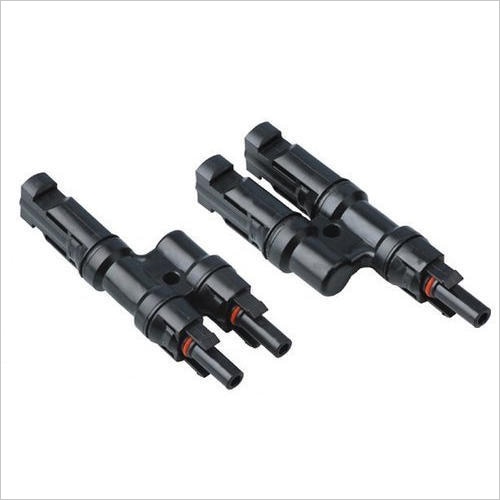 | Solar Accessories Yueqing Growmore Electric Co., Ltd. - High-Quality MC4 Connectors for Solar Power Systems Company Overview Yueqing Growmore Electric Co., Ltd. View product → |
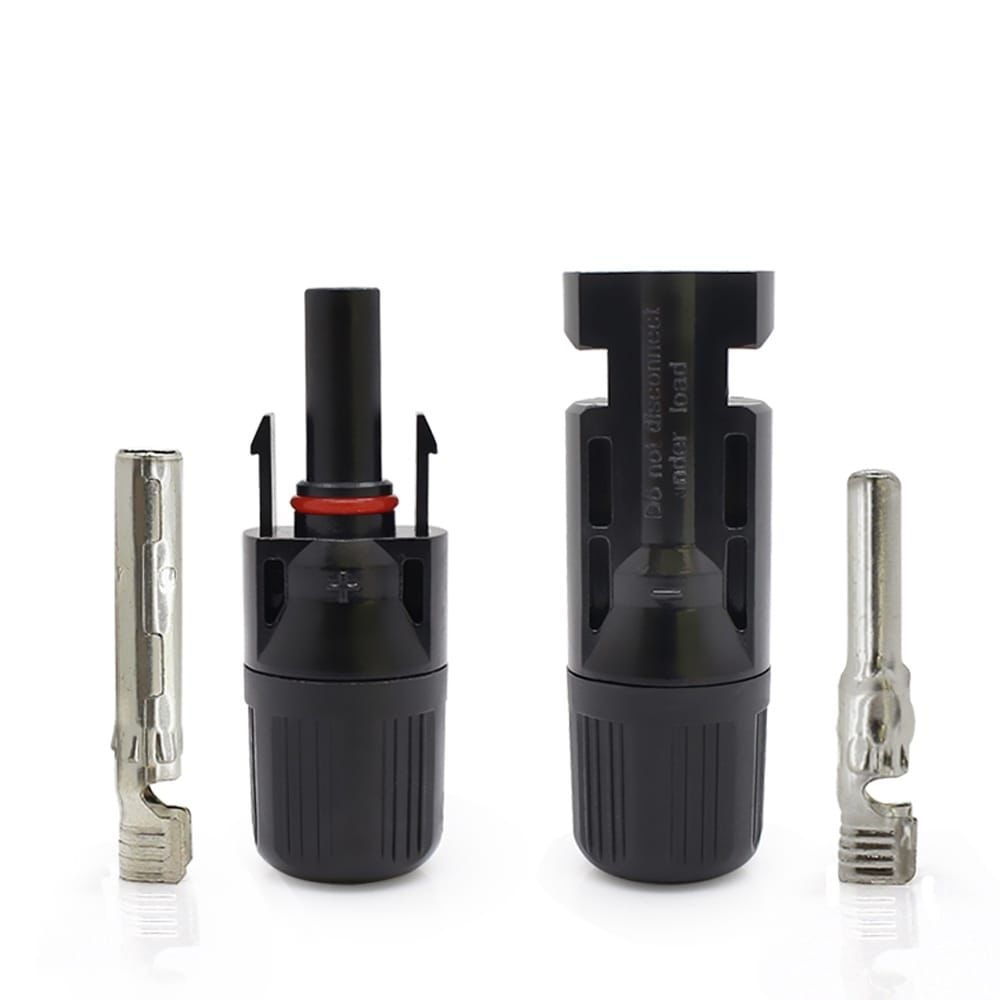 | 1000VDC SOLAR CONNECTOR ₹25 High-quality solar DC connector designed for reliable and safe photovoltaic system connections up to 1000V DC. View product → |
Frequently asked questions
How do you match an MC4 connector to a solar cable and mating part?
Match the connector’s specified cable cross-section and insulation diameter to the cable, then confirm that the plug and socket come from the same approved mating system. Do not rely on the MC4 label alone because contact geometry, seals, and locking features differ between manufacturers.
Which MC4 connector ratings and markings should you compare?
Compare the connector’s rated DC voltage, current, operating temperature, ingress protection rating, and certification markings. Check the manufacturer’s datasheet for the exact connector family and cable combination rather than assuming all MC4-compatible parts share the same ratings.
How do you make and inspect an MC4 crimp?
Use the contact specified for the cable size and the manufacturer’s crimp tool or die. After crimping, check that the strands are fully captured, the insulation support is positioned correctly, the contact is not damaged, and the assembled connector locks and seals without excessive force.
How can you verify an MC4 connector in its actual solar installation?
Check compatibility with the system’s DC voltage and current, cable routing, bend radius, temperature exposure, moisture, and connector location. Confirm that connectors are fully mated, supported, protected from standing water, and not mixed across unapproved manufacturers.